Built Different. By Design.
Every tool in AXEM-SX is crafted with intention — from the first boot to your deepest workflow.

Your workstation, governed from your workstation.
Tiered local administration. Nothing phones home. Nothing routes through someone else's cloud.
Most distributions dropped YaST in favor of "modern" web tools that depend on vendor clouds. AXEM-SX kept YaST AND added Cockpit AND wrote a native Qt6 daily-driver — and pinned every layer to your machine. Three tiers, one roof. Pick the right tool for the moment.
AXEM-SX Control Hub
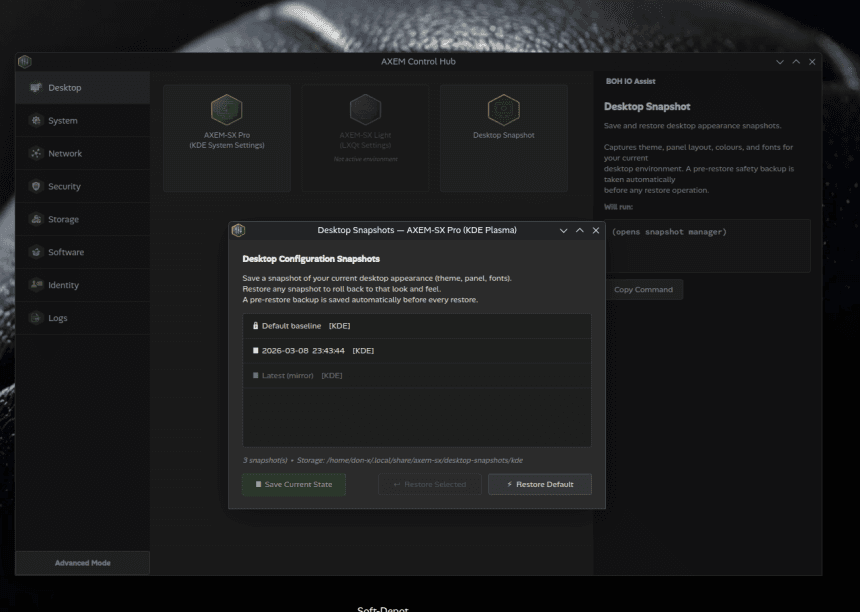
Modular Qt6 app. KDE / LXQt / GNOME-aware at runtime. Bridges system settings, desktop modules, and the Desktop Snapshot system into one calm window.
YaST
Three decades of openSUSE administration discipline. Kept available — not retired — for the moments that demand it.
Cockpit
Web admin at localhost:9090. Logs, services, storage, networking — readable from any browser on the machine.
Storage · Networking · Users · Services · Logs · Snapshots · Firewall · NTP · DNS · Btrfs · KVM/libvirt · Containers · kdump · …
AXEM-SX Control Hub — and this is just the surface.
Cockpit can be exposed beyond localhost if you choose. AXEM-SX does not enable that for you. Sovereignty is a default, not a cage.

Roam the Linux desktop spectrum. Without leaving home.
Switch desktops. Keep your AXEM-SX. Same packages, same identity, same data — different visual register.
Most users pick a desktop once and live with it for years. AXEM-SX gives you a curated way to taste the spectrum without abandoning the workstation you've built. The Desktop Snapshot Manager — a module of axem-control-hub — handles the orchestration.
KDE Plasma
The full Pro environment. Wayland session by default.
LXQt
Lighter Qt-based desktop. Same Hub, same identity.
GNOME
Detected when present. Pure Shell UX honored — no AXEM panel injection.
Session-aware: kanshi on Wayland · lxqt-config-monitor on X11 · graceful degradation when backends are absent.
v0.9 module. Surface and flavor coverage will broaden in upcoming releases. Today's verified switch path runs along KDE / LXQt / GNOME runtime detection.

Discovery without noise.
A curated software hub for AXEM-SX. Browse, install, and manage applications with precision — no flood of duplicates, no telemetry, no buried dependencies. Built to make finding the right tool feel calm, not exhausting.

Console Sidecar.
Bridge Our Humanities with Input & Output
A pane beside your terminal — a local AI apprentice, civic-minded, intentionally silent until called. Not a productivity hack. A literacy tool.
-l shows detailed format.
-a includes hidden files (starting with .)
Privacy Guarantee
- Powered by axem-sx/boh-io via local Ollama — no cloud, no external calls.
- Command history exists only in RAM for the duration of the open window.
- When you close Boh-IO, the entire conversation is wiped. No disk logs.
- The AI NEVER types into your shell — pane separation is absolute.
Note: Boh-IO does not support full-screen TUI applications (vim, htop, tmux) — they require cursor movements Boh-IO intentionally blocks to keep history linear. Use Konsole for those.
First-time setup steps live in the Release Notes (zypper install · ollama pull · launch).
Technical Architecture
What AXEM-SX inherits, what it changes, and why.